


How can a delivery entry be deleted/cleared?
Any user who has the appropriate permission to remove deliveries can delete a delivery entry from the system.
Step-by-Step Guide
To delete/clear a delivery entry:
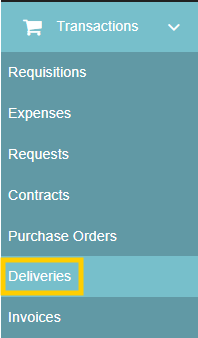
- Navigate to Transactions from the left-hand toolbar and select Deliveries.
- Click on the delivery entry from the deliveries listing overview page to open and view the options.
- On the right-hand side of the available options, select the "Delete" action (indicated by the trash can icon).

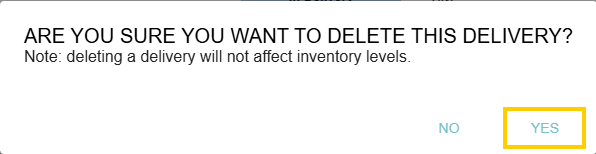
- Confirm the deletion when prompted.
Thank you! Your submission has been received!
Oops! Something went wrong while submitting the form.
.webp)
.png)


