


How can items be shared between multiple branches?
Items can be shared across branches by using item categories or by manually adding/importing items into each branch.
Option 1: Share items through categories
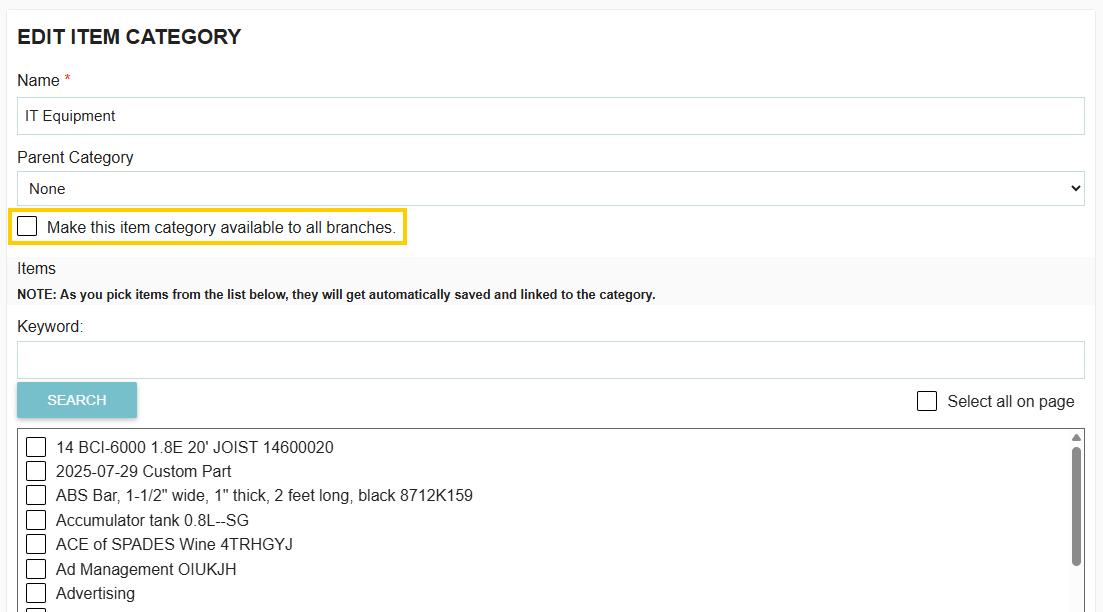
Users with the “Add/edit/remove item categories” permission (found under the Items permission section) can make an item category available to all branches.
Steps:
1. Go to Categories from the left toolbar.

2. Click Edit on the active item category you want to share.

3. Check the box “Make this item category available to all branches.”
4. Click Save Item Category.
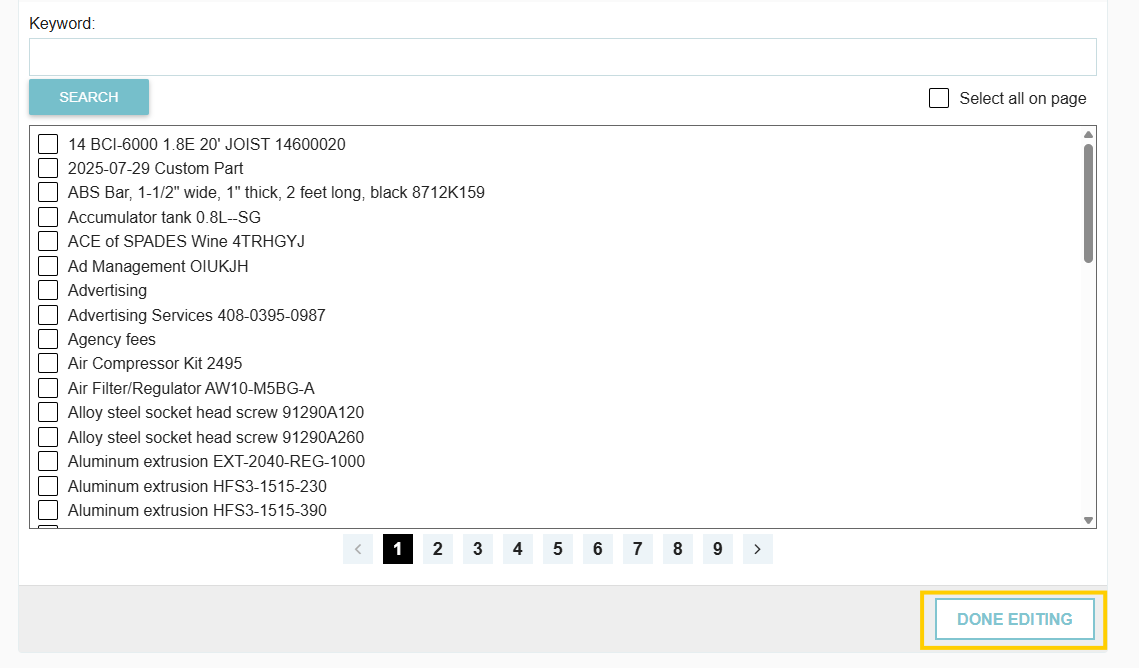
All items grouped under that category will now be accessible across branches.
Option 2: Add items manually or by import
You can also share items by:
- Switching into each branch and adding the items manually under the Items tab.
- Importing items into each branch using the import function.
Thank you! Your submission has been received!
Oops! Something went wrong while submitting the form.
.webp)
.png)


