


Is it Possible to Distribute Awarded Offers Among Multiple Suppliers?
Yes. Tradogram is designed to support "split-awarding," where a single sourcing event (RFQ or RFP) results in multiple Purchase Orders or Contracts distributed across different vendors.
How to Create Multiple POs from One Request
With Tradogram’s built-in item allocation tools, you can easily split quantities and select specific line items for different vendors during the acceptance process.
Step-by-Step Workflow:
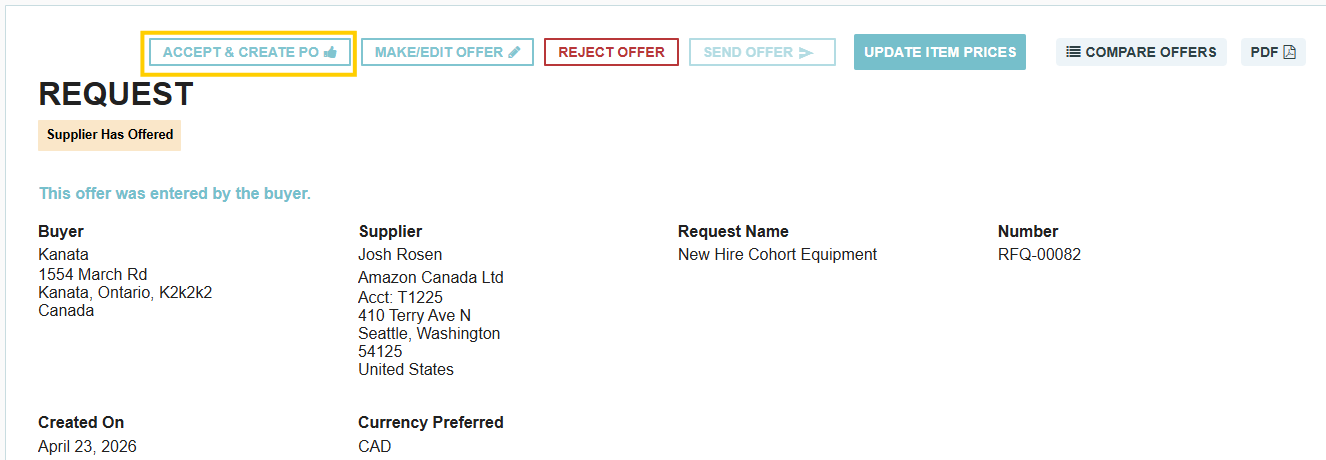
- Select the First Supplier: Navigate to your request, open the supplier's offer, and click "Accept & Create PO."
- Allocate Items & Quantities: In the acceptance popup, select only the line items you wish to award to this supplier and specify the exact quantities you are ordering.
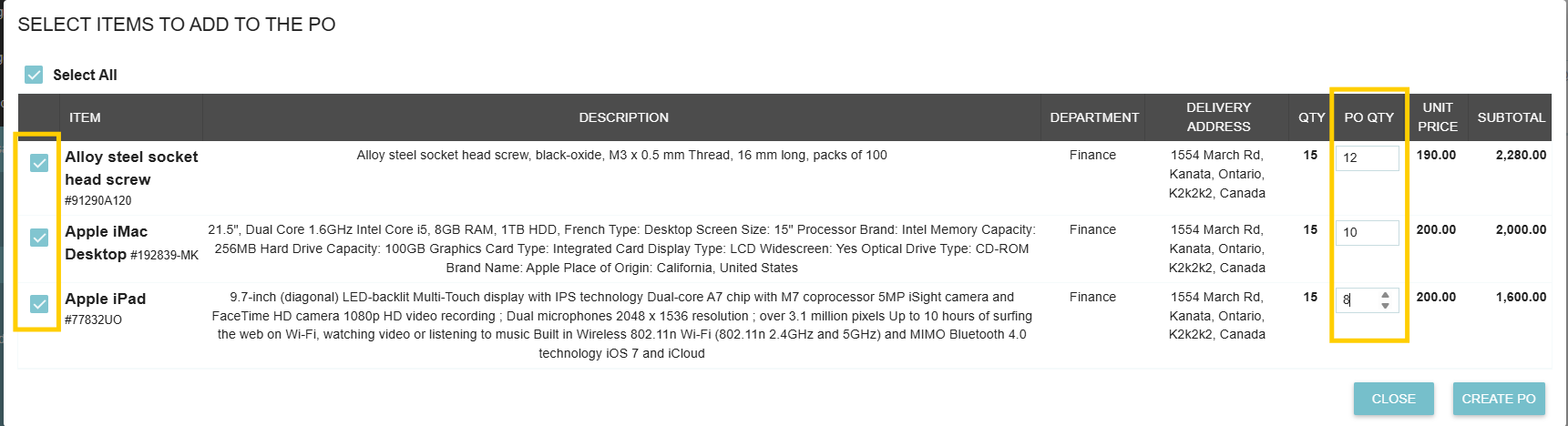
- Generate the PO: Click to create the Purchase Order. Tradogram automatically generates a PO containing only the items and quantities selected for this vendor.
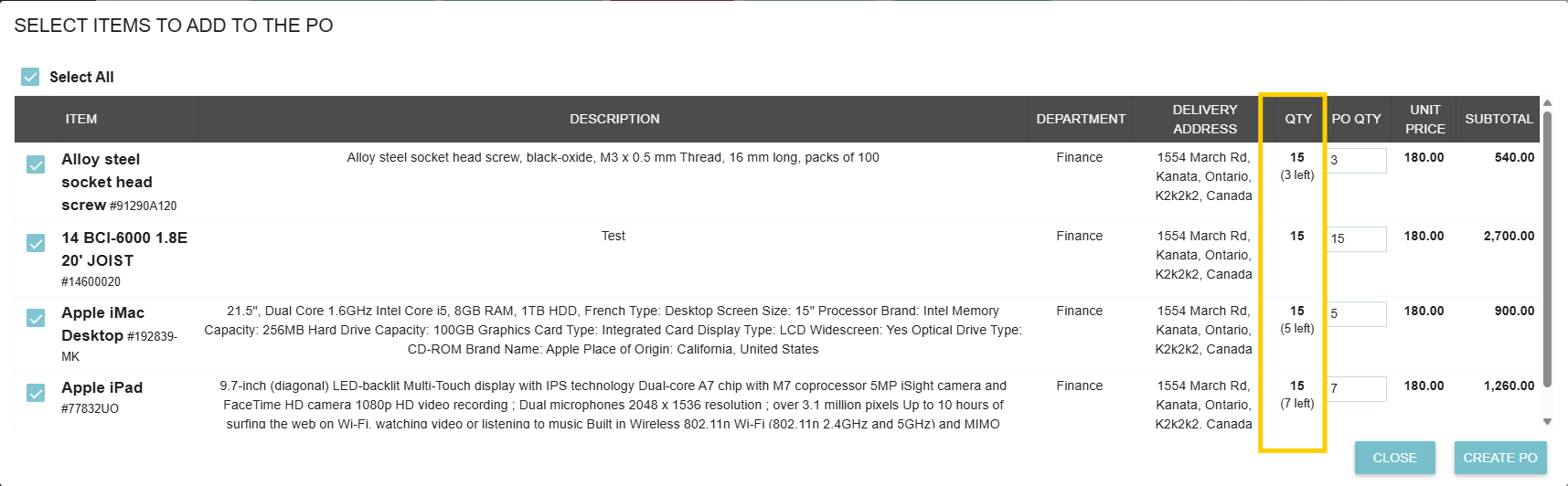
- Repeat for Additional Vendors: Navigate back to the same request and select the next supplier's offer.
- Automatic Balance Tracking: The system automatically calculates remaining item quantities (Total Quantity Requested − Total Quantity Ordered So Far) so you never accidentally over-order.
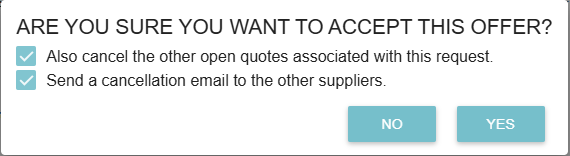
- Finalizing the Event: Once all items on the request have been fully ordered, a prompt will appear allowing you to cancel any remaining open quotes and send customizable notification emails to vendors who were not selected.
Thank you! Your submission has been received!
Oops! Something went wrong while submitting the form.
.webp)
.png)


