


What Happens When a Supplier’s Offer from a Request is Accepted?
Accepting a supplier's offer is the final step in the negotiation process. In Tradogram, this action converts the negotiated terms and pricing into an official document, while providing options to manage other participating vendors.
Automatic Document Conversion
The type of document generated depends on how you originally configured the sourcing event:
- Request for Purchase Order: The accepted bid will automatically generate a Purchase Order.

- Request for Contract: The accepted bid will automatically generate a Contract.

Important Note: The newly created document (PO or Contract) is not automatically sent to the supplier. You must finalize the transaction and manually click "Send" to issue the documentation to the vendor.

Accepting an Offer & Item Allocation (Request for PO)
When you click "Accept & Create PO" on a supplier's offer, a pop-up window opens to help you configure the exact scope of the order:
- Item Selection: Easily check or uncheck specific line items to define exactly which items are being awarded to this supplier.
- Quantity Allocation: Enter the exact quantity you wish to order for each selected item. This makes split-awarding and partial ordering seamless.
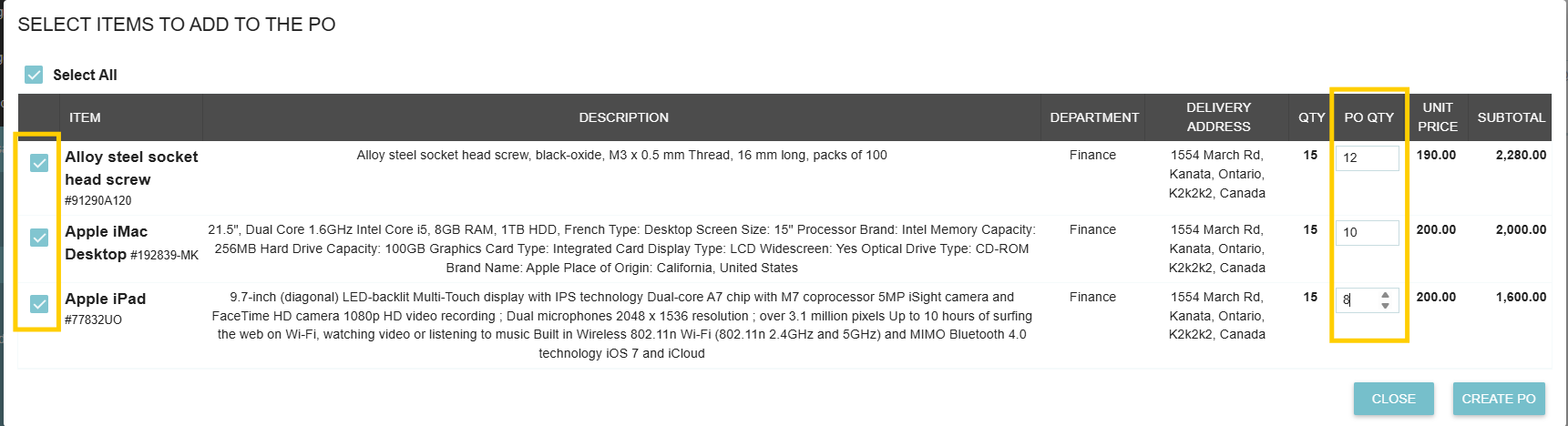
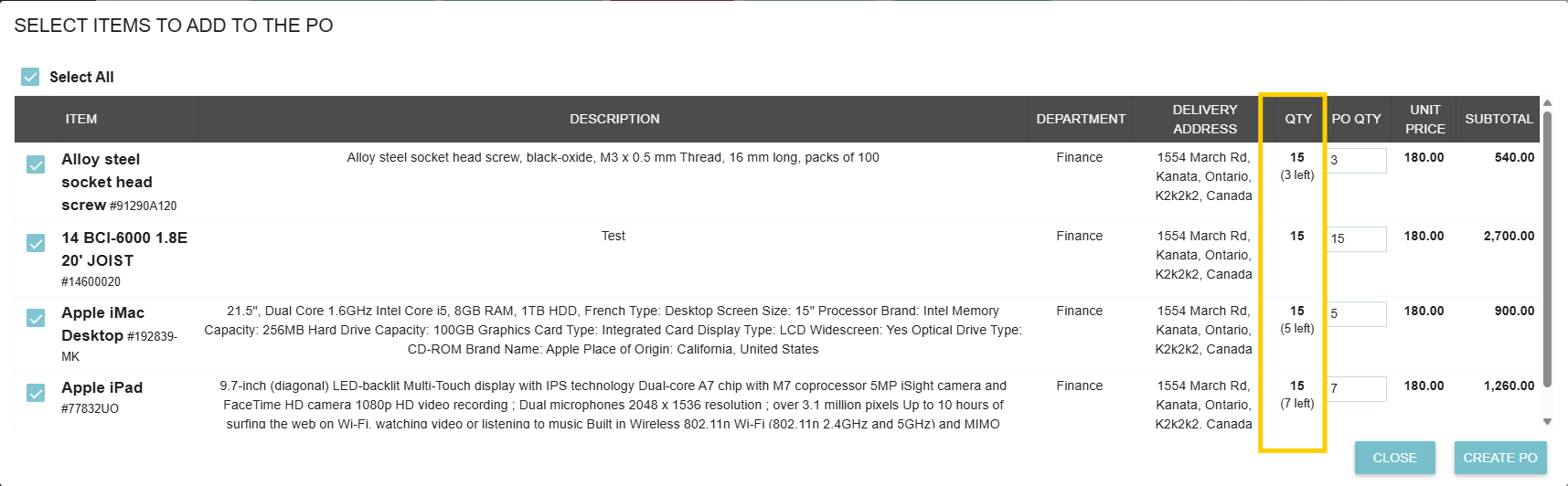
- Remaining Quantity Tracking: If you are accepting multiple offers across different vendors for the same request, Tradogram automatically tracks line-item balances. When you open subsequent supplier offers, the quantity column displays the remaining unallocated balance (Total Quantity Requested − Total Quantity Ordered So Far).
- Quantity Cap Protection: The system prevents over-ordering by restricting the assigned quantity so it cannot exceed the total quantity originally requested on the bid.
Managing Other Suppliers
Once all items on the request have been fully ordered, the supplier management popup will appear with options for handling remaining vendor quotes:
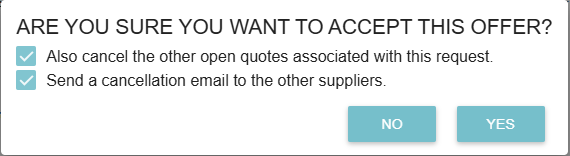
- "Also Cancel the other open quotes associated with this request":
- Checked: This officially closes the sourcing event for all other vendors.
- Unchecked: This keeps the request active, allowing you to award other items to different suppliers (split-awarding).
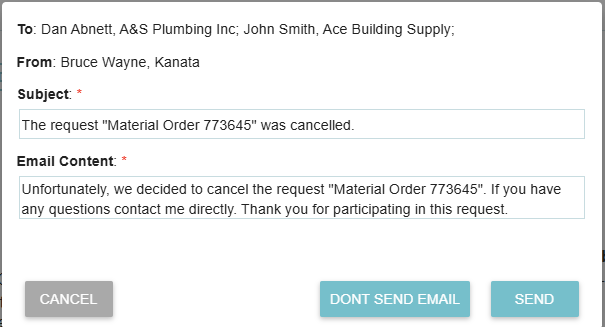
- "Send a Cancellation Email to the other suppliers":
- Checking this box allows you to send a professional "not selected" notification to the other vendors. You can customize the subject and body of this email to maintain good supplier relationships.
.webp)
.png)


